

  |
- Buy Incomedia WebSite X5 Evolution directly from the developer (with a -20% discount).
- Buy Incomedia WebSite X5 Professional directly from the developer (with a -20% discount).
In this video tutorial, we will look at a new version of the program – 2019.3. I will compare this version with the previous one – 2019.2.
Video lesson
- Content slider object – 00:00:34.
- Button Object – 00:04:54.
- Speed optimization tools – 00:06:34.
- Other changes – 00:07:13.
Videos look better with 720 HD quality. This and other video tutorials can be found on YouTube and Vimeo.
Vidéo en français:
Links from the lesson:
In the following video lessons, we will look at other useful objects that will help you during site creation.
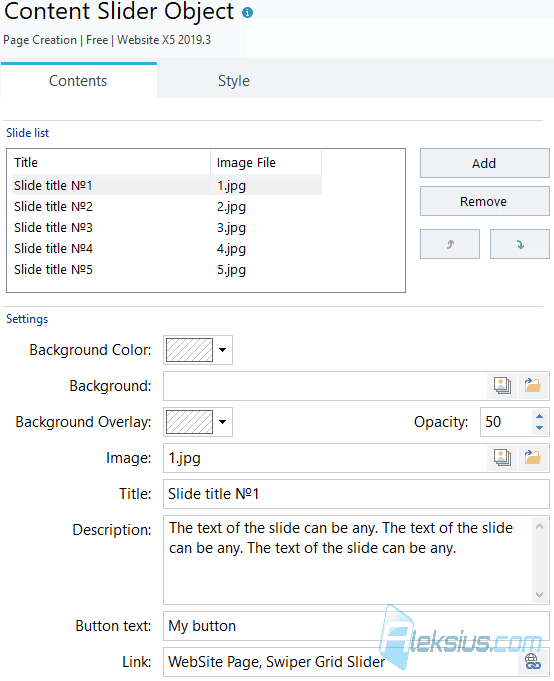
Content slider object. This is a new element in the main objects of the page. It allows you to create slides containing image, text and button. Content slider object supports responsive design.
Instead of images, you can use solid color fills. Text can be specified for the title, content, and slide button.
A button can be a link to any action. In the Content slider style settings, you can choose one of four layouts, set the slider height, transition effects between slides, text settings (fonts, colors, alignment, etc.), enable auto playback and change slide control style (or even remove them).
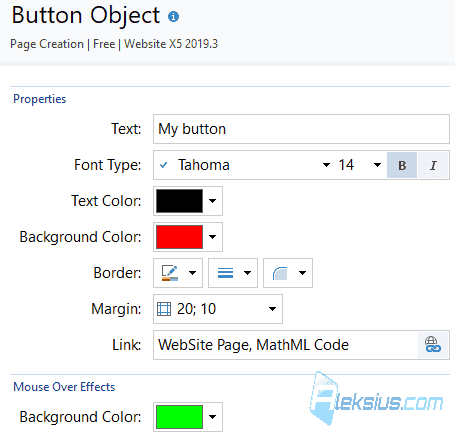
Button Object (free). This is not entirely new object. Buttons have been in the program for a long time. There are various paid button objects. The innovation is that this object is free, but with a limited set of options compared to paid objects. There are not many settings, but it is enough to create a button.
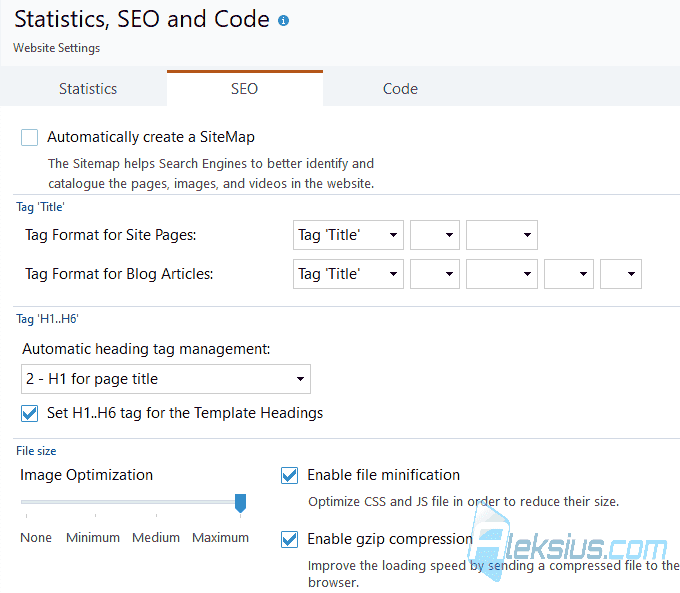
The new version of the program has several optimization tools. I recommend including these options and setting the maximum compression ratio. But if the image quality does not suit you, then the compression ratio can be made lower.
Optimization | Total site size | Site export time to disk | CPU load |
No optimization | 162 Mb | 14 seconds | 50% |
Image Optimization - Minimal | 161 Mb | 23 seconds | 100% |
Image Optimization - Medium | 158 Mb | 24 seconds | 100% |
Image Optimization - Maximum | 150 Mb | 25 seconds | 100% |
Image optimization - maximum, Enable file minification, Enable gzip compression | 147 Mb | 26 seconds | 100% |
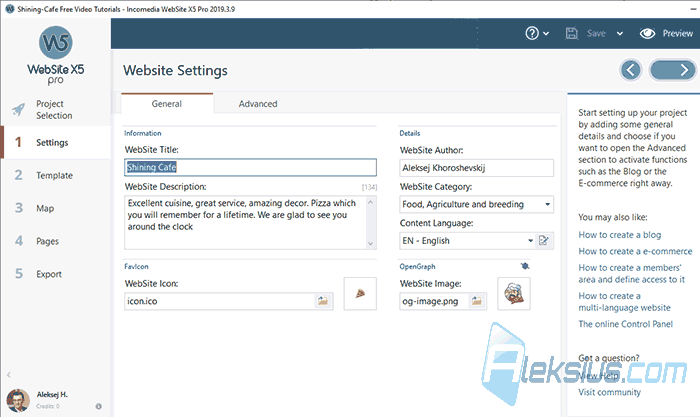
Helpe Toolbar. If program window width is more than approximately 1300 pixels, a special panel with thematic help information will appear on the right side. The panel can be disabled by clicking on the question mark icon in the upper toolbar and selecting Show tips. There also new links on training materials.
New templates. For the Pro version, 10 new templates were added, plus 5 old templates for Evo and Pro were updated. Each of them uses a new Content Slider object.
Object management. The object management window has been updated to simplify search for necessary objects. New category "Used in the project" has also been added. It shows the objects that are used in the project.
The pictograms of the Gallery object have been updated.
In the template search window, the category New items has been added. There were also other smaller updates. But basically - that's it.
In video tutorial you see WebSite X5 2019.3.9 Pro (64 bit).
If you have any questions, you can ask them in the comments. I will try to answer as quickly as possible.
| Article author – Aleksej Khoroshevskij |
|---|
 Ph.D., lecturer at Kharkiv National University of Radio Electronics, web developer, and SEO specialist with over 15 years of experience. Expert in website creation using Joomla and WebSite X5. Author of scientific publications, video courses, and educational content on web development and SEO. Runs a blog and a YouTube channel, sharing knowledge and practical experience. Provides services in website development, customization, maintenance, and promotion. Learn more about the author… Publications and work: |
| Similar articles |
|---|
 |
Useful links:
- Buy Incomedia WebSite X5 Evolution directly from the developer (with a -20% discount).
- Buy Incomedia WebSite X5 Professional directly from the developer (with a -20% discount).
