

  |
- Buy Incomedia WebSite X5 Evolution directly from the developer (with a -20% discount).
- Buy Incomedia WebSite X5 Professional directly from the developer (with a -20% discount).
In this video tutorial, we will look at a new version of the program – 2022.1. I will compare this version with the previous one – 2021.5.
Video lesson
- Portfolio Object – 00:00:25.
- Google Analytics 4 – 00:03:25.
- Videos for Entry Page – 00:03:38.
- Object Search – 00:03:51.
- Instalment payment via PayPal – 00:04:08.
Videos look better with 720 HD quality. This and other video tutorials can be found on YouTube and Vimeo.
Links from the lesson:
Incomedia WebSite X5 2022.1 brings new functionality and changes:
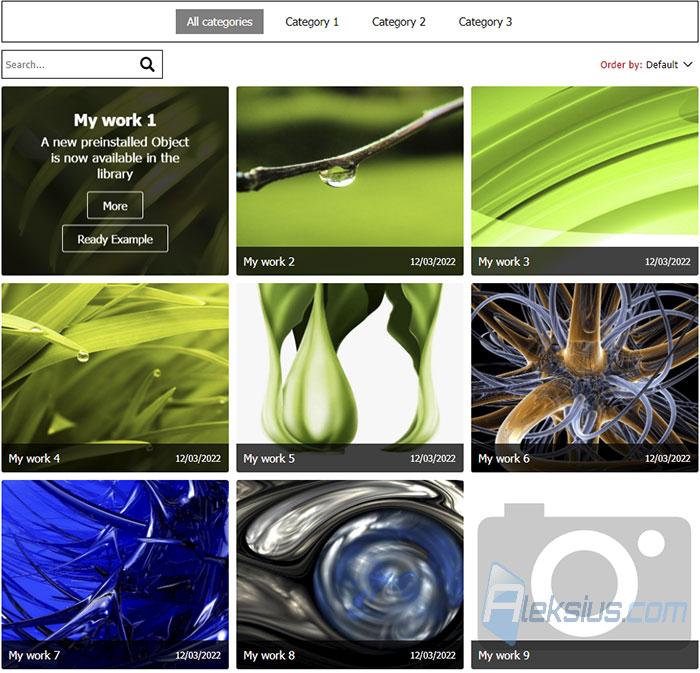
- Portfolio Object. There is a new Portfolio object. This object allows you to create a grid of elements with an image, title, description and links. For navigation, you can use the filter, search and sorting. On the second tab of the object settings, you can configure all portfolio cards design : set the number of columns for their display, rounding of corners, signatures animation effect, background color and other options. On the third object settings tab, WebSite X5 2022.1 contains options for filter settings. You can disable the category panel, the All Categories button, the search field, sorting, and also set the design of these elements.
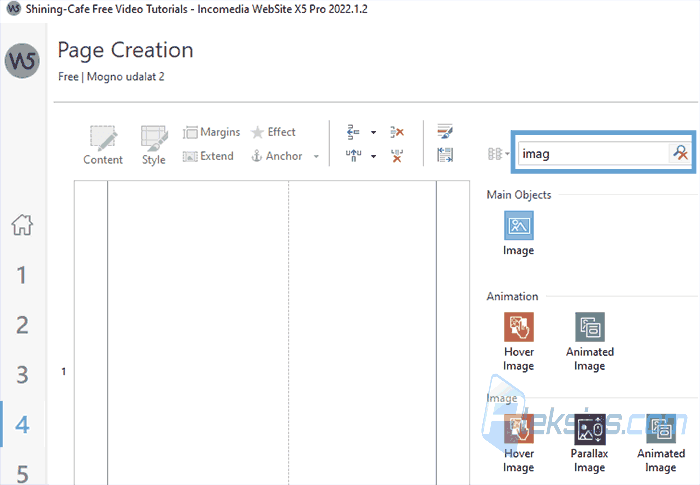
- Object Search. To simplify the creation of pages, developers have added an object search.
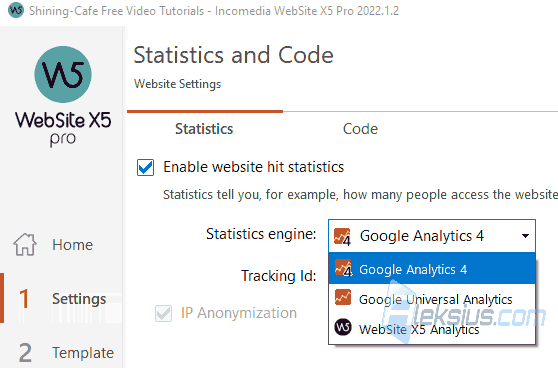
- Google Analytics 4. Now you can use the new Google Analytics version.
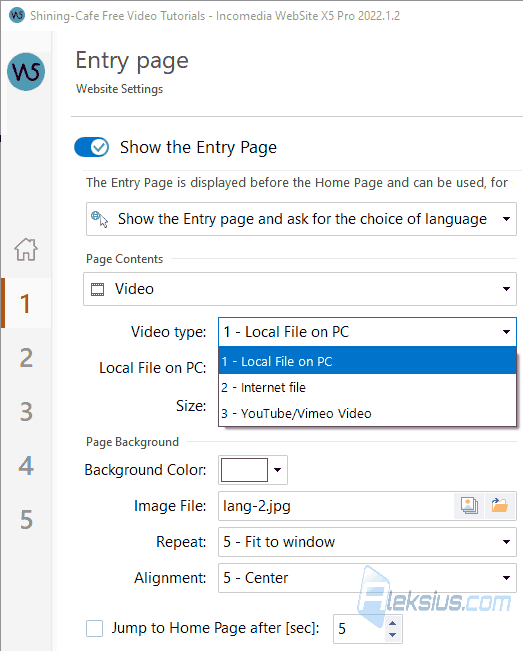
- Videos for Entry Page. On the Entry Page, you can use videos from YouTube and Vimeo. You can also specify a link to a video file on any site. This can speed up page loading and reduce the amount of space the site takes up on your hosting.
- Instalment payment via PayPal. If you have an online store and use Pay Pal, now you can offer your customers payment in installments. PayPal will take care of the installment plan and you will immediately receive the full amount. This option will be beneficial for you and the client. It currently works in the following countries: UK, France, Germany, US, Australia. It will be available soon in Italy, Spain and Canada too.
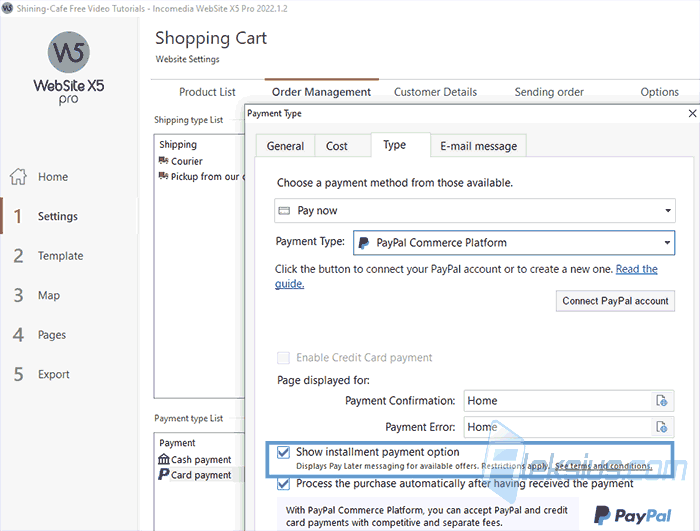
In video tutorial I use WebSite X5 2022.1.2 Pro (64 bit).
In the following video lessons, we will look at other useful objects and features of the program that will help you during site creation.
If you have any questions, you can ask them in the comments. I will try to answer as quickly as possible.
| Article author – Aleksej Khoroshevskij |
|---|
 Ph.D., lecturer at Kharkiv National University of Radio Electronics, web developer, and SEO specialist with over 15 years of experience. Expert in website creation using Joomla and WebSite X5. Author of scientific publications, video courses, and educational content on web development and SEO. Runs a blog and a YouTube channel, sharing knowledge and practical experience. Provides services in website development, customization, maintenance, and promotion. Learn more about the author… Publications and work: |
| Similar articles |
|---|
 |
Useful links:
- Buy Incomedia WebSite X5 Evolution directly from the developer (with a -20% discount).
- Buy Incomedia WebSite X5 Professional directly from the developer (with a -20% discount).
