

  |
- Buy Incomedia WebSite X5 Evolution directly from the developer (with a -20% discount).
- Buy Incomedia WebSite X5 Professional directly from the developer (with a -20% discount).
In this video tutorial, we will look at a new version of program – 2024.1. I will compare this version with the previous one – 2023.3.
Video tutorial
- Image optimization and faster website uploading – 00:00:48.
- Google Pay and Apple Pay for PayPal Commerce Platform – 00:01:45.
- E-mails editing – 00:02:28.
- Default home page changing – 00:02:49.
- Link style override – 00:02:55.
- Date format – 00:03:26.
- User interface changes – 00:03:39.
- Web fonts in WOFF2 format – 00:04:05.
- Other changes – 00:04:20.
Videos look better with «1080p HD» quality. This and other video tutorials can be found on YouTube and Vimeo.
Links from the tutorial:
Image optimization. In the new version of the program, the developers upgraded the graphics library utilized for image handling, integrating a performing library previously used only for saving JPG and WEBP format. This enhancement delivers notable performance enhancements: loading speeds for images are accelerated by up to 45%, saving times are boosted by up to 50%, and file sizes are reduced by up to 20% (according to the developers).
Faster website uploading. The developers have enhanced the FTP engine to accelerate website online exports, particularly noticeable when dealing with projects containing numerous small files. Moreover, directory creation and deletion processes are now up to 70% quicker, leading to a significant overall performance boost (according to the developers).
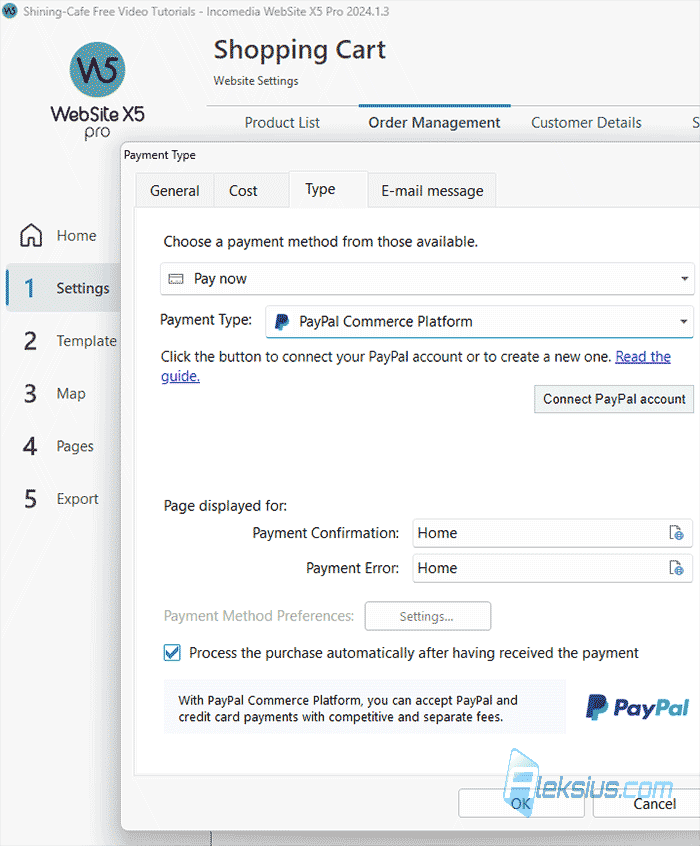
New payment options for PayPal Commerce Platform. The integration of the PayPal Commerce Platform introduces compelling new features. Now, you have the option to activate payments through Google Pay and Apple Pay. Additionally, customers can choose to securely store their payment details for future purchases, a process known as vaulting.
Now direct Credit Card payments using the PayPal Commerce Platform can be used by users from the following countries: US, CA, AU, UK, FR, IT, ES and DE (24 new Countries in the EMEA zone joined).
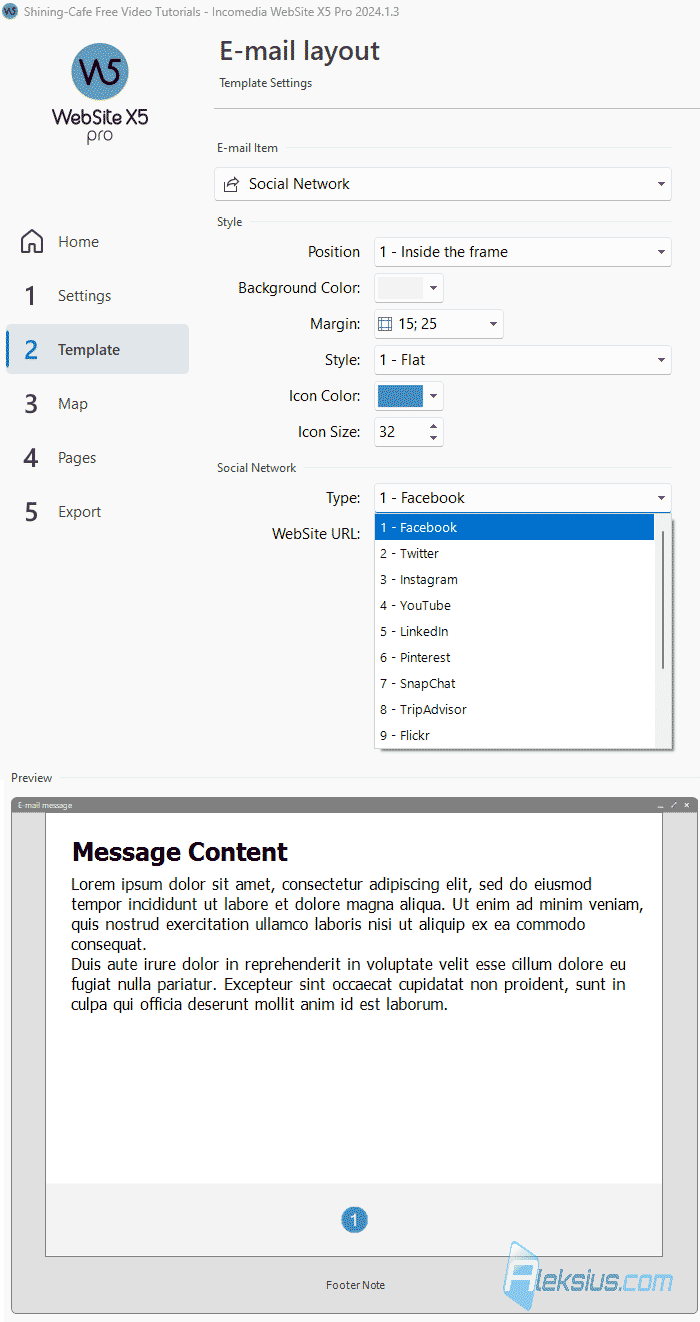
E-mails editing. Now you can add links to your social networks in the E-mail layout. There are also additional options for customizing e-mail design.
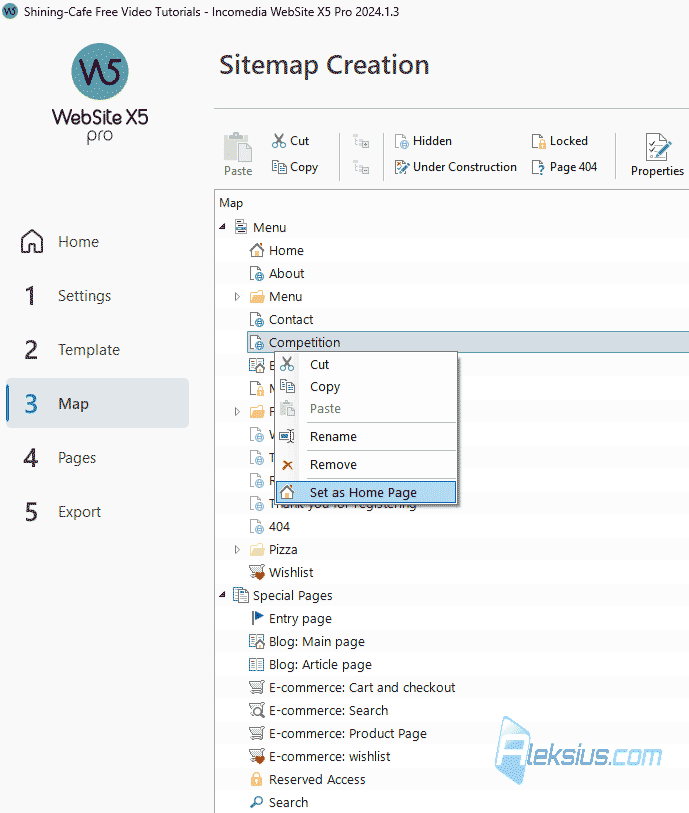
Default home page changing. In WebSite X5 2024.1 you now have the ability to change the main page of the site.
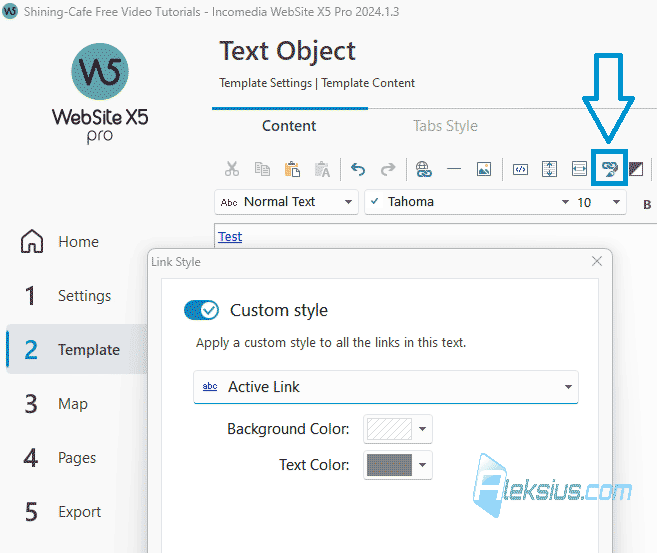
Link style. Now you can override the template link style in individual objects.
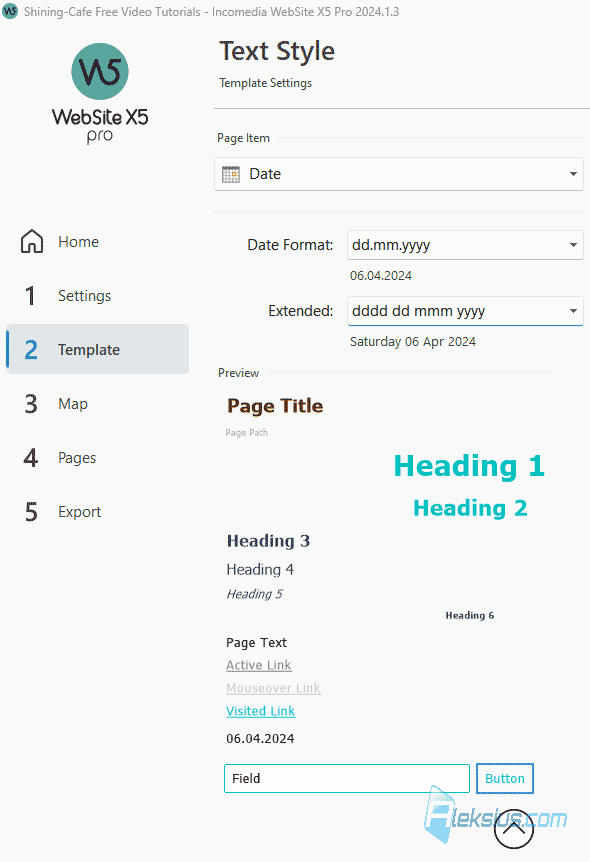
Date format. In the Text, Field and Button style section you now have the ability to customize the date format.
Objects checking. Upon opening a project, you'll receive prompts to install and/or update any Optional Objects you've previously used. This ensures everything is set up for you to seamlessly continue developing your pages.
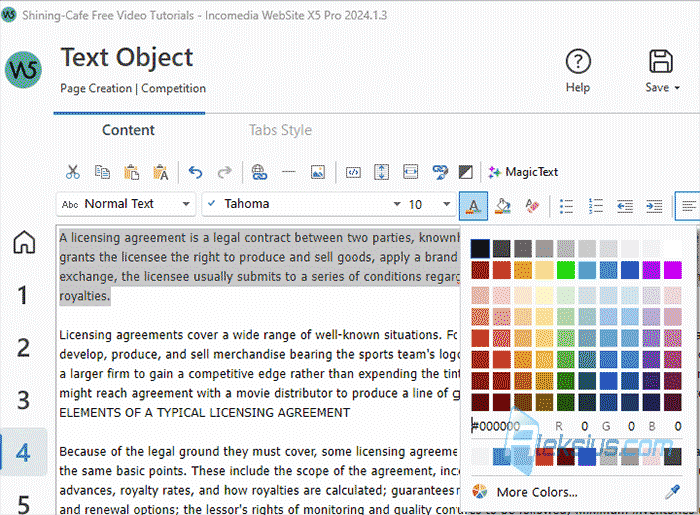
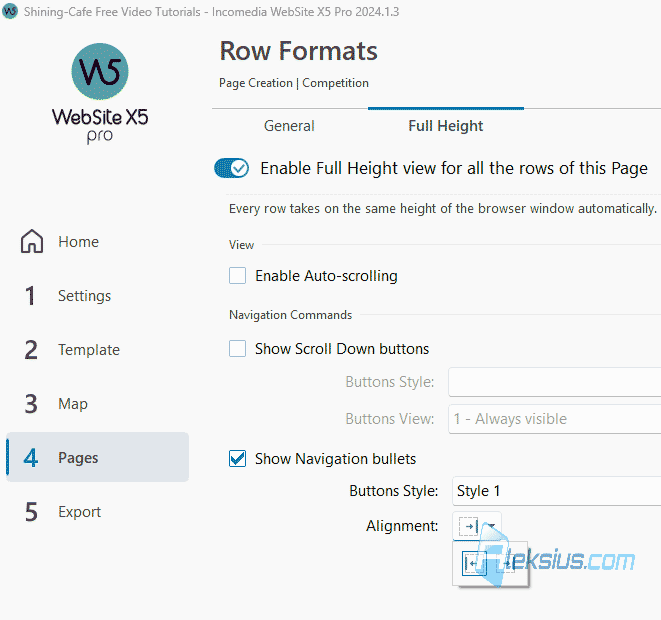
User interface changes. In the new version of the program, some elements of the user interface have been changed, for example, the color selection tool, alignment and other tools.
Other changes.
- Expanded support for image formats such as: WEBP, HEIC and SVG.
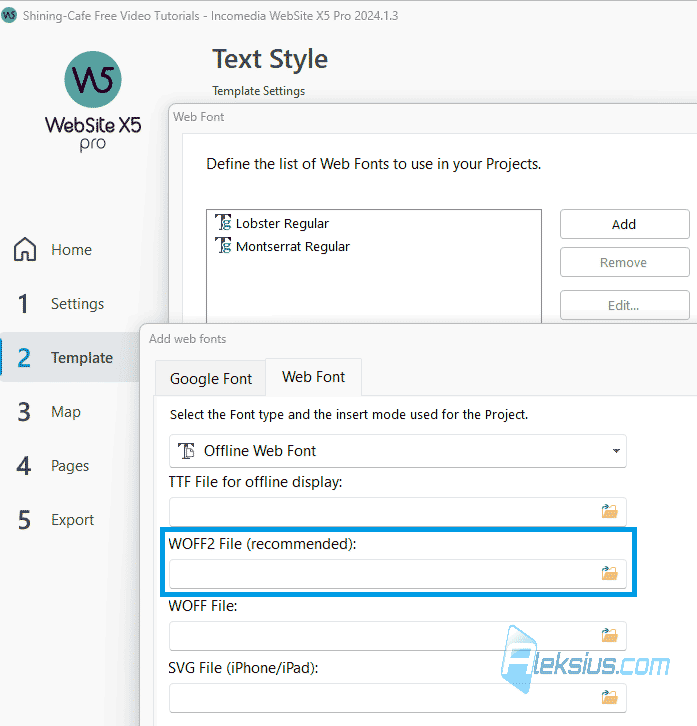
- Now you have the opportunity to add web fonts in WOFF2 format.
- Other changes and improvements, such as improved responsive display for breakpoints lower than desktop.
In video tutorial I use WebSite X5 2024.1.3 Pro (64 bit).
In the following video tutorials, we will look at other useful objects and features of the program that will help you during site creation.
If you have any questions, you can ask them in the comments. I will try to answer as quickly as possible.
| Article author – Aleksej Khoroshevskij |
|---|
 Ph.D., lecturer at Kharkiv National University of Radio Electronics, web developer, and SEO specialist with over 15 years of experience. Expert in website creation using Joomla and WebSite X5. Author of scientific publications, video courses, and educational content on web development and SEO. Runs a blog and a YouTube channel, sharing knowledge and practical experience. Provides services in website development, customization, maintenance, and promotion. Learn more about the author… Publications and work: |
| Similar articles |
|---|
 |
Useful links:
- Buy Incomedia WebSite X5 Evolution directly from the developer (with a -20% discount).
- Buy Incomedia WebSite X5 Professional directly from the developer (with a -20% discount).
