

- Type – free Joomla component for creating online stores.
VirtueMart 4 is a free Joomla component that allows you to create and manage online stores. VirtueMart's main features include product and category management, support for various payment methods, and SEO optimization. This solution is suitable for both small and large online stores, thanks to its flexibility and scalability.
Video tutorial
- Joomla update – 00:01:15.
- Custom fields purpose – 00:02:42.
- Field type String («Size») – 00:06:24.
- Сustom fields positions – 00:08:46.
- Field type Image («Color») – 00:09:34.
- Field type Textarea («Note») – 00:11:34.
- Field type Related Products – 00:13:31.
- Field type Custom Group – 00:14:20.
Better watch video with «1080p HD» quality. This and other video reviews and tutorials can be found on my YouTube channel.
Links from the video:
- Joomla 4 video tutorials.
- «VirtueMart 4 video tutorial. Joomla shopping (part 2)».
- Product customization example.
- Pricing via custom fields.
- Filtering and searching example.
- Product comparison example.
- Similar products example.
- «TinyMCE video tutorial. Joomla text editor».
In the previous video tutorial «VirtueMart 4 video tutorial. Joomla shopping (part 2)», we created product categories, products, and manufacturers.
In the previous video tutorials, we looked at the various Joomla built-in extensions, and also learned how to create a website on Joomla from scratch.
The previously recorded video tutorials for Joomla 4 are almost completely relevant for the current version of Joomla 5.3. The information and video tutorial from this article remain relevant for Joomla 4 as well. At least this is true on August 20, 2025.
Video tutorial recording date – August 20, 2025. Software from video tutorial – Joomla 5.3.3, VirtueMart 4.4.10.11120.
Custom fields purpose
In VirtueMart custom fields are used to extend the functionality of products and configure additional information about products in the store. They allow you to add unique attributes or properties of products that may be important for display or to provide customers with more detailed information. Let's consider some of the possibilities of using custom fields in VirtueMart.
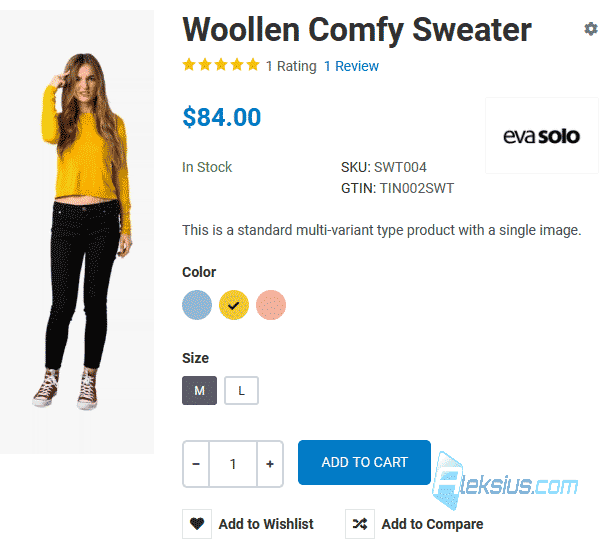
Product customization. Custom fields allow you to add product options such as size, color, material, and other options that the customer can choose during checkout (see image below). This is useful if the same product has multiple options.
Additional information. Custom fields can be used to display additional information about products, such as technical specifications, warranty period, and so on.
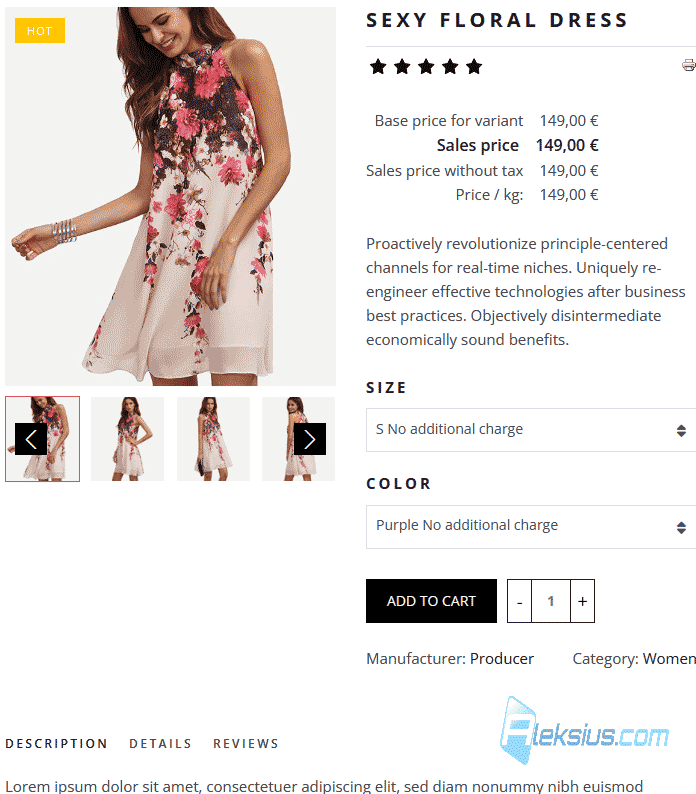
Pricing. Custom fields can be used to add pricing options depending on the selected parameters, for example, adding a cost for a larger size or additional accessories (image below).
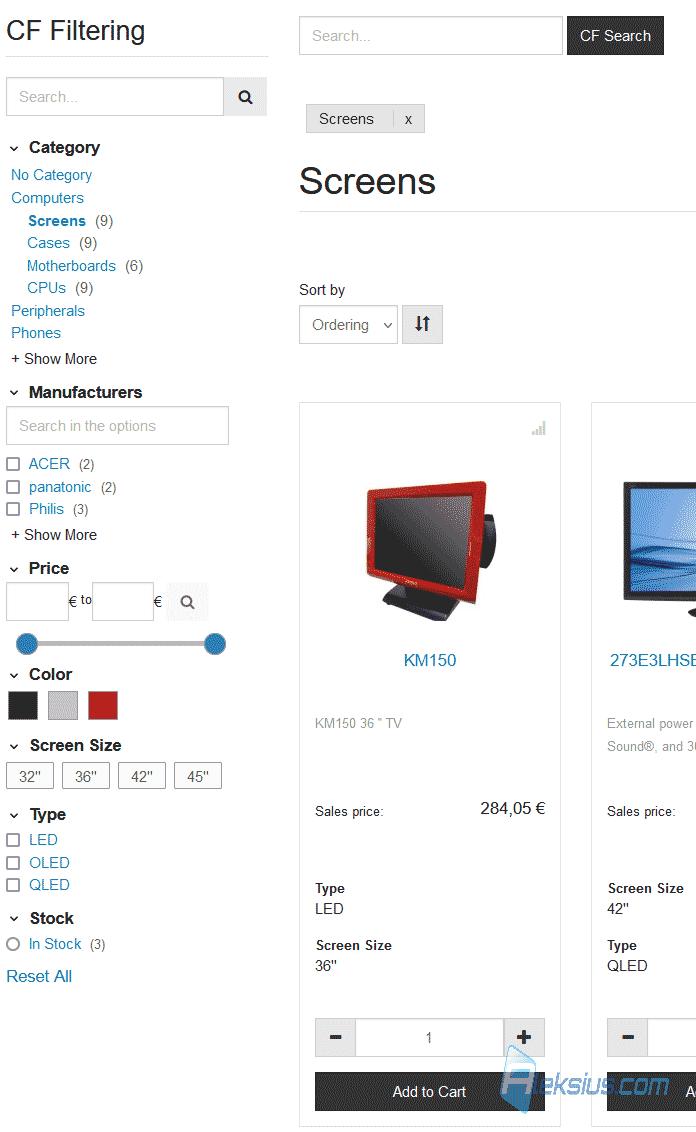
Filtering and searching. Custom fields can also be useful for filtering products based on certain criteria on a category page, which improves the user experience when searching for the right products. To filter products, you need to install an additional extension (picture below).
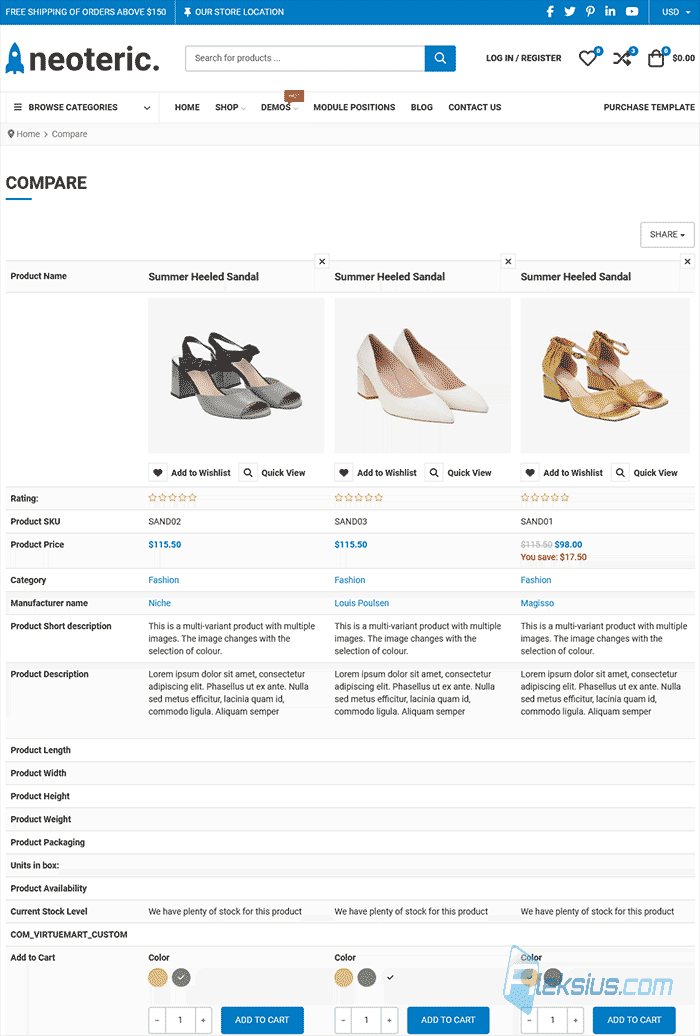
Product comparison. Custom fields can add product characteristics. With product characteristics, you can compare multiple products on one page (picture below). But for this you need to install an additional extension.
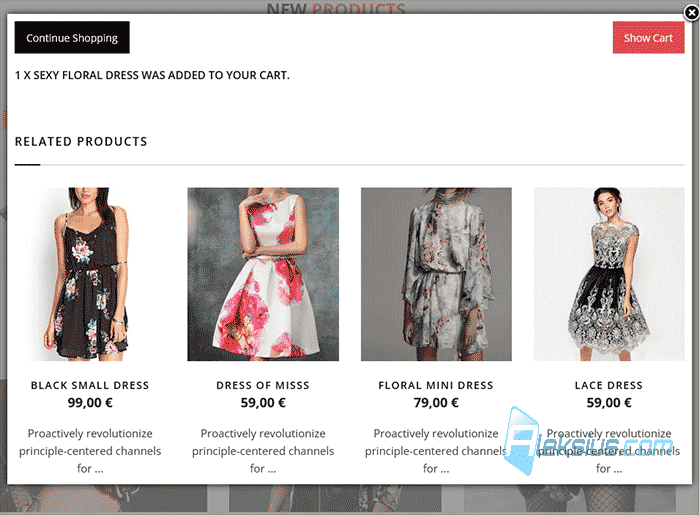
Similar products. Using a specific type of custom field, you can display similar product categories and similar products (image below).
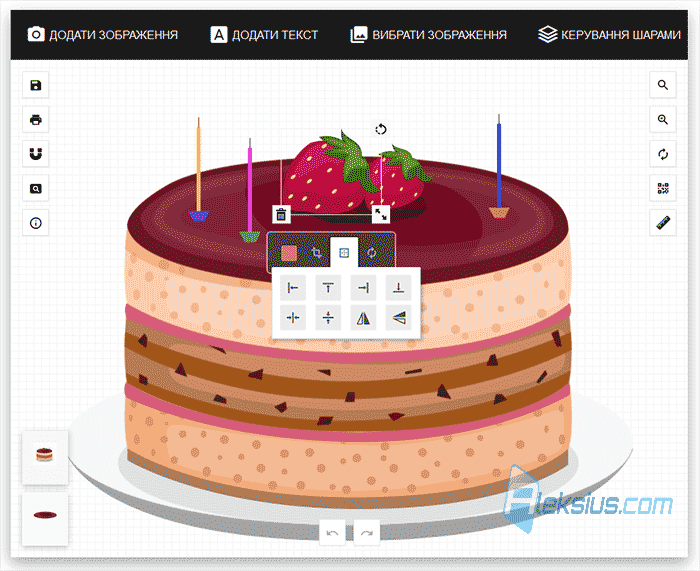
Functionality expansion. There are plugins from third-party developers that allow you to significantly expand the standard functions of VirtueMart. For example, add the ability to sell «electronic products» (downloadable files), provide the ability to upload files to customers, create quite complex product editors (picture below) (development of Web-to-Print sites), and much more.
SEO improvements. Custom fields can be used to add keywords, which can improve the SEO optimization of product pages.
As you can see, custom fields make VirtueMart more flexible and allow you to customize your store according to your specific business and product requirements.
In the next video tutorial, we will continue creating a store on VirtueMart. If you have any questions, write them in the comments
| Article author – Aleksej Khoroshevskij |
|---|
 Ph.D., lecturer at Kharkiv National University of Radio Electronics, web developer, and SEO specialist with over 15 years of experience. Expert in website creation using Joomla and WebSite X5. Author of scientific publications, video courses, and educational content on web development and SEO. Runs a blog and a YouTube channel, sharing knowledge and practical experience. Provides services in website development, customization, maintenance, and promotion. Learn more about the author… Publications and work: |
| Similar articles |
|---|
Useful links:
