

The information is almost entirely up to date for Joomla 5 (note added on October 21, 2023).
Video tutorial
- Creating a menu item – 00:01:16.
- Joomla SP Page Builder tutorial (creating a homepage) – 00:02:18.
- Checking the page on a mobile device – 00:20:21.
Better watch video with «1080p HD» quality. This and other video reviews and tutorials can be found on my YouTube channel.
Links and extensions from video tutorial
- Previous article «Joomla tutorial for beginners (part 2). How to make a website from scratch».
- Page example.
In previous article «Joomla tutorial for beginners (part 2). How to make a website from scratch» we worked with Helix Ultimate template settings, created SP Easy Image Gallery module with images and added several modules to site footer.
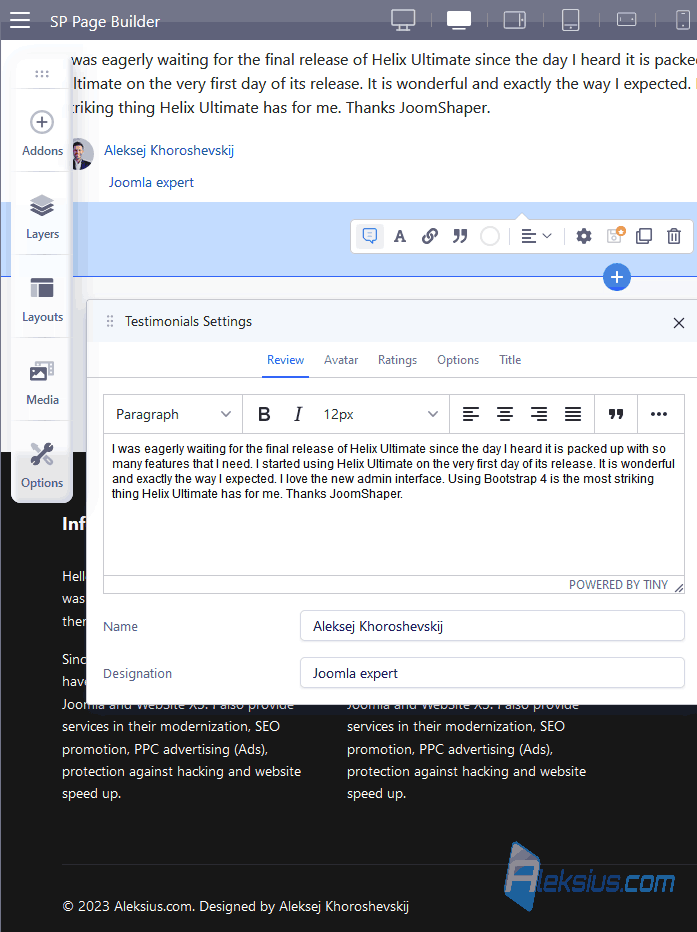
In this article, we will create site main page in SP Page Builder 4 Lite and create a menu item for this page.
Video tutorial recorded March 01, 2023. List of software from the video: Joomla 4.2.7, SP Page Builder 4.0.7 Lite, Helix Ultimate 2.0.11.
Website homepage recommendations
Here are some recommendations for designing an effective homepage for your website.
- Clear and concise messaging. Your homepage should have a clear and concise message that quickly tells visitors what your website is about and what they can expect to find. Make sure your message is easy to read and stands out.
- Easy navigation. Make sure your homepage has an easy-to-use navigation menu that makes it simple for visitors to find what they are looking for. Use clear and descriptive labels for your menu items.
- Engaging visuals. Use high-quality and engaging visuals such as images or videos to capture the attention of your visitors and communicate your message. Make sure your visuals are relevant to your content and are optimized for fast loading.
- Call-to-action. Include a clear call-to-action (CTA) on your homepage, such as a button or link that encourages visitors to take action. Make sure your CTA is relevant to your content and is prominently displayed.
- Social proof. Include social proof elements such as customer reviews or testimonials to build trust with your visitors and showcase your credibility.
- Mobile responsiveness. Ensure your homepage is mobile responsive and looks great on all devices. Most website traffic comes from mobile devices, so it's essential to optimize your homepage for mobile users.
- Fast loading speed. Ensure your homepage loads quickly to prevent visitors from leaving due to slow loading times. Use tools to optimize your images and reduce the size of your page files.
Remember that your homepage is often the first impression visitors have of your website, so it's important to make it engaging, easy to navigate, and visually appealing.
In the next article «Joomla 4 tutorial (part 4). How to make your own website from scratch» we'll create an «About Us» page, «Gallery» page and «Portfolio» page.
| Article author – Aleksej Khoroshevskij |
|---|
 Ph.D., lecturer at Kharkiv National University of Radio Electronics, web developer, and SEO specialist with over 15 years of experience. Expert in website creation using Joomla and WebSite X5. Author of scientific publications, video courses, and educational content on web development and SEO. Runs a blog and a YouTube channel, sharing knowledge and practical experience. Provides services in website development, customization, maintenance, and promotion. Learn more about the author… Publications and work: |
| Similar articles |
|---|
