

The information is almost entirely up to date for Joomla 5 (note added on October 21, 2023).
Video tutorial
- Joomla Article Manager – 00:00:29.
- Article Creation – 00:03:16.
- «Single Article» Menu item – 00:03:54.
- Content – 00:04:37.
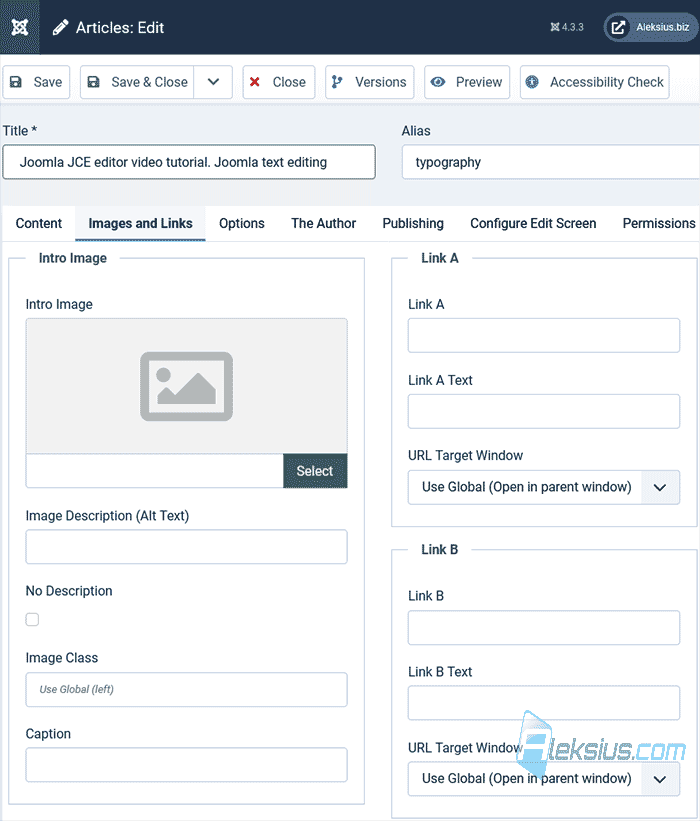
- Images and Links – 00:07:01.
- Com_content Option – 00:09:19.
- The Author – 00:13:50.
- Publishing – 00:14:08.
- Configure Edit Screen – 00:16:07.
- Permissions – 00:16:53.
- Module «Articles - Related» – 00:17:36.
- Module «Articles - Most Read» – 00:19:27.
- «Featured» and «Archived» articles in modules – 00:20:04.
Better watch video with «1080p HD» quality. This and other video reviews and tutorials can be found on my YouTube channel.
Links from the video:
In previous video tutorials we create responsive company website from scratch with a blog, portfolio and uploaded it to hosting. In this video tutorial we will talk about Joomla articles. We'll talk about managing, creating and customizing Joomla articles. We will also create a menu item and modules to display articles on the website.
Video tutorial recording date – July 21, 2023. Software from video review. Joomla 4.3.3.
In Joomla 5 now you have the opportunity to add structured data without third-party extensions.
Tips for website articles writing
Writing effective website articles is crucial for engaging your audience, improving search engine optimization (SEO), and establishing your expertise. Here are some tips to help you create compelling and successful website articles.
- Know your audience. Understand the interests, preferences, and pain points of your target readers. Tailor your content to address their needs and provide valuable solutions.
- Catchy headline. Create a captivating headline that grabs the reader's attention and encourages them to click on your article. Use power words and be clear about the article's main topic.
- Clear and concise writing. Keep your writing simple, easy to understand, and free from jargon. Use short paragraphs and break up the content with subheadings to improve readability.
- Engaging introduction. Begin your article with an intriguing introduction that entices readers to keep reading. Address the problem or question you will be addressing in the article and show the value of reading further.
- Provide valuable content. Ensure that your article delivers valuable information or insights to the reader. Offer actionable tips, practical advice, or unique perspectives that make your article stand out.
- Use visuals. Incorporate relevant images, infographics, and videos to enhance your article's visual appeal. Visual elements break up the text and make the content more engaging.
- Use data and statistics. Back up your points with credible data and statistics. This adds credibility to your article and shows that your information is based on reliable sources.
- Link to reputable sources. If you reference information from other websites, link to those sources. This not only provides proper attribution but also adds authority to your content.
- Be SEO-friendly. Optimize your article for search engines by incorporating relevant keywords naturally throughout the content. However, avoid keyword stuffing, as it can harm readability and SEO.
- Call-to-action (CTA). End your article with a strong CTA that encourages readers to take the next step, such as subscribing to your newsletter, exploring related articles, or contacting you for more information.
- Edit and proofread. Always revise and edit your articles before publishing. Check for grammar, spelling, and punctuation errors. Clear, error-free content reflects professionalism.
- Mobile-friendly. Ensure your website and articles are mobile-friendly, as an increasing number of readers access content through their smartphones and tablets.
- Regular updates. Keep your website content fresh and up-to-date. Regularly update your articles to reflect any new information or changes in the industry.
- Be authentic. Inject your personality into your writing and be genuine. This helps build a connection with your readers and distinguishes your content from others.
- Analyze and learn. Use website analytics to track the performance of your articles. Analyze which topics perform well and which don't to improve your future content strategy.
By implementing these tips, you can create website articles that resonate with your audience, drive traffic to your site, and establish your website as a valuable resource in your field.
In the next video tutorial, we will look at Joomla article categories and talk about their settings.
| Article author – Aleksej Khoroshevskij |
|---|
 Ph.D., lecturer at Kharkiv National University of Radio Electronics, web developer, and SEO specialist with over 15 years of experience. Expert in website creation using Joomla and WebSite X5. Author of scientific publications, video courses, and educational content on web development and SEO. Runs a blog and a YouTube channel, sharing knowledge and practical experience. Provides services in website development, customization, maintenance, and promotion. Learn more about the author… Publications and work: |
| Similar articles |
|---|
Useful links:
