

- Type – free website builder (content management system).
Workflows (com_workflow) is a free component built into Joomla designed to simplify and systematize the multi-step preparation of articles for publication by the publishing team.
Video tutorial
- Enable Workflows – 00:02:32.
- Creating users – 00:02:56.
- Message settings – 00:03:49.
- Workflow creation – 00:04:22.
- Creating stages – 00:04:48.
- Transition creation – 00:05:33.
- Assigning the workflow to the category – 00:07:36.
- Adding articles from the front part of the site – 00:08:00.
- Rights to create articles and execute Transition – 00:08:50.
- Creation of an article and its passage through the stages of the workflow – 00:09:32.
- Transition batch processing – 00:12:38.
Better watch video with «1080p HD» quality. This and other video reviews and tutorials can be found on my YouTube channel.
Links from the video:
- Joomla 4 video tutorials.
- «Video tutorial «Joomla user management and registration»».
- «Video tutorial «Joomla Multilanguage (Part 1)»».
- «Joomla Languages Overrides tutorial».
- «Joomla Com_content video tutorial. Articles options».
- «Joomla Categories video tutorial (Сom_categories). Creation and use».
- «Joomla menu video tutorial (Com menus). Creation and management».
- «TinyMCE video tutorial. Joomla text editor».
- «Joomla сustom fields tutorial».
- Joomla video tutorials.
The previously recorded video tutorials for Joomla 4 are almost completely relevant for the current version of Joomla 5.1. The information and video tutorial from this article remain relevant for Joomla 4 as well. At least this is true on June 8, 2024.
Video tutorial recording date – July 13, 2024. Software from video tutorial – Joomla 5.1.2.
Joomla Workflows
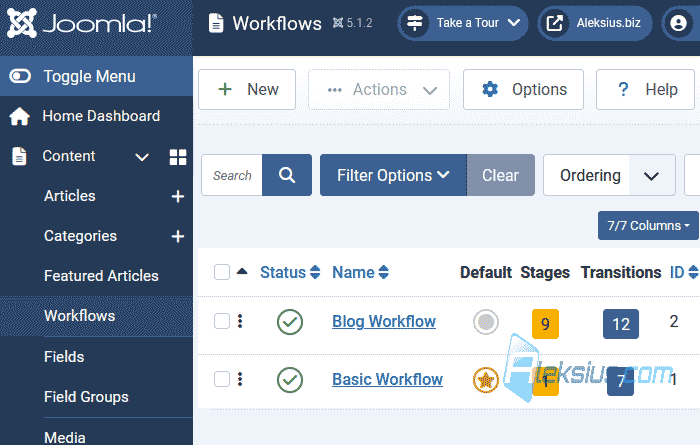
Joomla has a Workflows component (com_workflow), which will simplify and systematize the multi-stage preparation of an article for publication by the publishing team. The team can be divided into groups consisting of one or more people (several authors, editors, etc.) with different access rights. The system can send messages to mail about events related to articles. Plus, articles can be at different stages and move from one stage to another (by analogy with the publishing process). The component (picture below) will allow you to create a content preparation system on the website.
In Joomla 6.1 a visual workflow editor was added.
I hope this and other Joomla video tutorials have helped you with this CMS. If you have any questions, ask them in the comments. In the next video, we'll we will work with Mail Templates component.
| Article author – Aleksej Khoroshevskij |
|---|
 Ph.D., lecturer at Kharkiv National University of Radio Electronics, web developer, and SEO specialist with over 15 years of experience. Expert in website creation using Joomla and WebSite X5. Author of scientific publications, video courses, and educational content on web development and SEO. Runs a blog and a YouTube channel, sharing knowledge and practical experience. Provides services in website development, customization, maintenance, and promotion. Learn more about the author… Publications and work: |
| Similar articles |
|---|
Useful links:
