

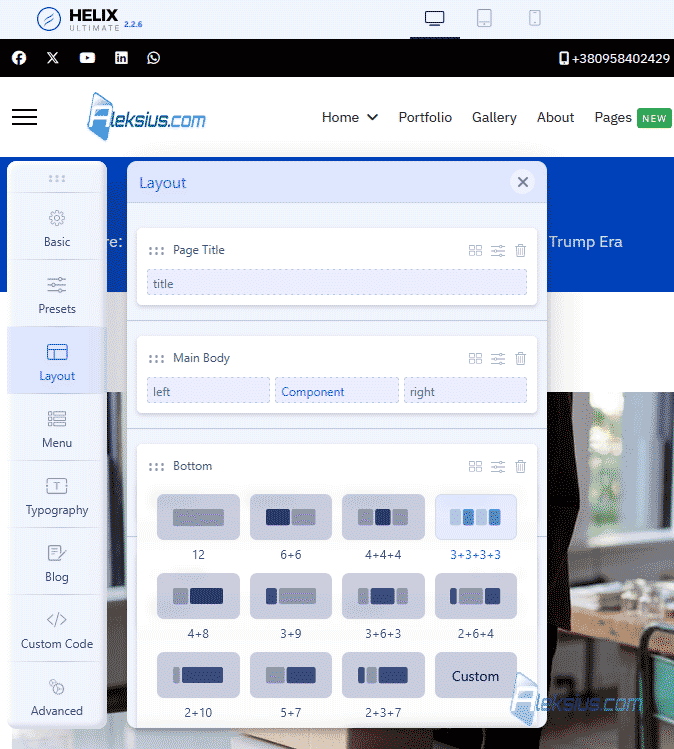
In previous cycles of video tutorials on creating a company website and an online store, we used templates based on the Helix Ultimate framework. In the previous video tutorial, we reviewed two sections of the template settings on this framework, namely Basic and Presets. In this video tutorial, we will look at the Layout section.
Video tutorial
- Page layout rows and columns – 00:01:36.
- Row – General – 00:06:16.
- Row – Style – 00:07:09.
- Row – Responsive – 00:04:53, 00:08:41.
- Column – General – 00:09:33.
- Column – Grid (BreeakPoints) – 00:10:16.
- Column – Responsive – 00:12:24.
Better watch video with «1080p HD» quality. This and other video reviews and tutorials can be found on my YouTube channel.
Links from the video:
- Joomla 4 video tutorials.
- VirtueMart 4 video tutorial. Сreating online stores on Joomla.
- «Helix Ultimate 2 video tutorial. Free Joomla template (Part 1)».
- «Joomla Module video tutorial (Com modules). Creation and management».
Video tutorial recorded May 22, 2026. List of software from the video: Joomla 6.1.0, Helix Ultimate template (Framework) 2.2.6.
I hope this and other Joomla video tutorials have helped you work with this CMS. If you have any questions, feel free to ask them in the comments.
In the next article, «JoomShaper Helix Ultimate 2 video tutorial. Free Joomla template (Part 3)» we will cover the menu settings.
| Article author – Aleksej Khoroshevskij |
|---|
 Ph.D., lecturer at Kharkiv National University of Radio Electronics, web developer, and SEO specialist with over 15 years of experience. Expert in website creation using Joomla and WebSite X5. Author of scientific publications, video courses, and educational content on web development and SEO. Runs a blog and a YouTube channel, sharing knowledge and practical experience. Provides services in website development, customization, maintenance, and promotion. Learn more about the author… Publications and work: |
| Similar articles |
|---|
Useful links:
